What is Navigator?
Navigator is an iPhone and iPad app for precision navigation flights — the kind flown in NIFA-style navigation events, proficiency contests, and personal timing practice, where the goal is to cross each checkpoint on course and on the second.
It does two jobs:
- In the air, it is a timing instrument. Load your route, enter your planned leg times, and Navigator shows you — leg by leg — whether you are running early or late and what ground speed will put you back on plan.
- On the ground, it is a scorer. Feed it a route and a track log and it computes timing, course, secret-checkpoint, and fuel penalties, then hands you the numbers and a shareable export.
Everything runs on the device. There is no account, no sign-in, and no server.
The two workflows
| Live flight | Post-flight scoring | |
|---|---|---|
| Start from | Start Live Flight button | New Flight button |
| You import | A route (.fpl) | A route (.fpl) and a track log (.kml) |
| Position comes from | Device GPS or a GDL90 source | The track log |
| You get | Live guidance, then a score | A score |
| Guide | Fly a live flight | Score a flight afterwards |
Both paths end at the same place: a scored flight saved to your Flights list, which you can rename, re-grade, and export.
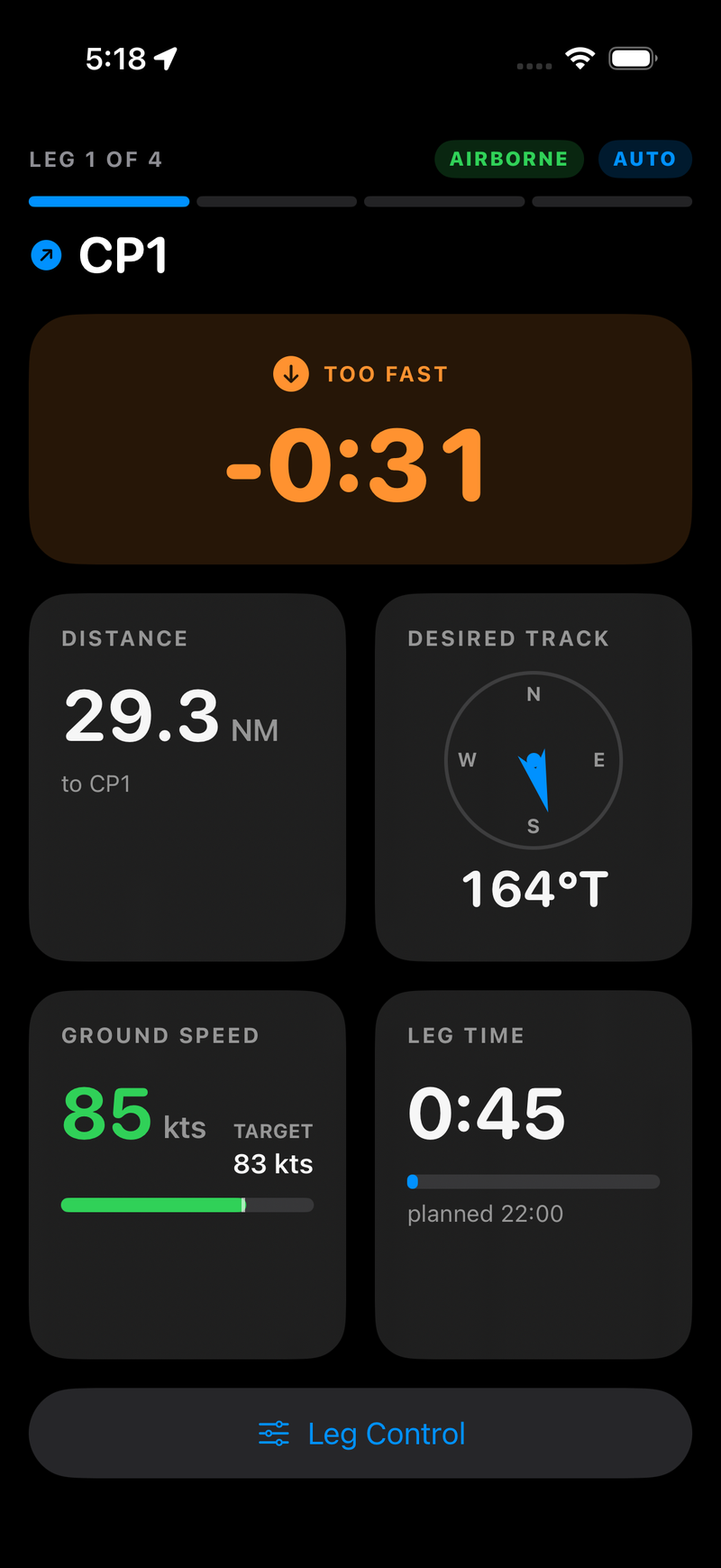
In the air — the live panel.
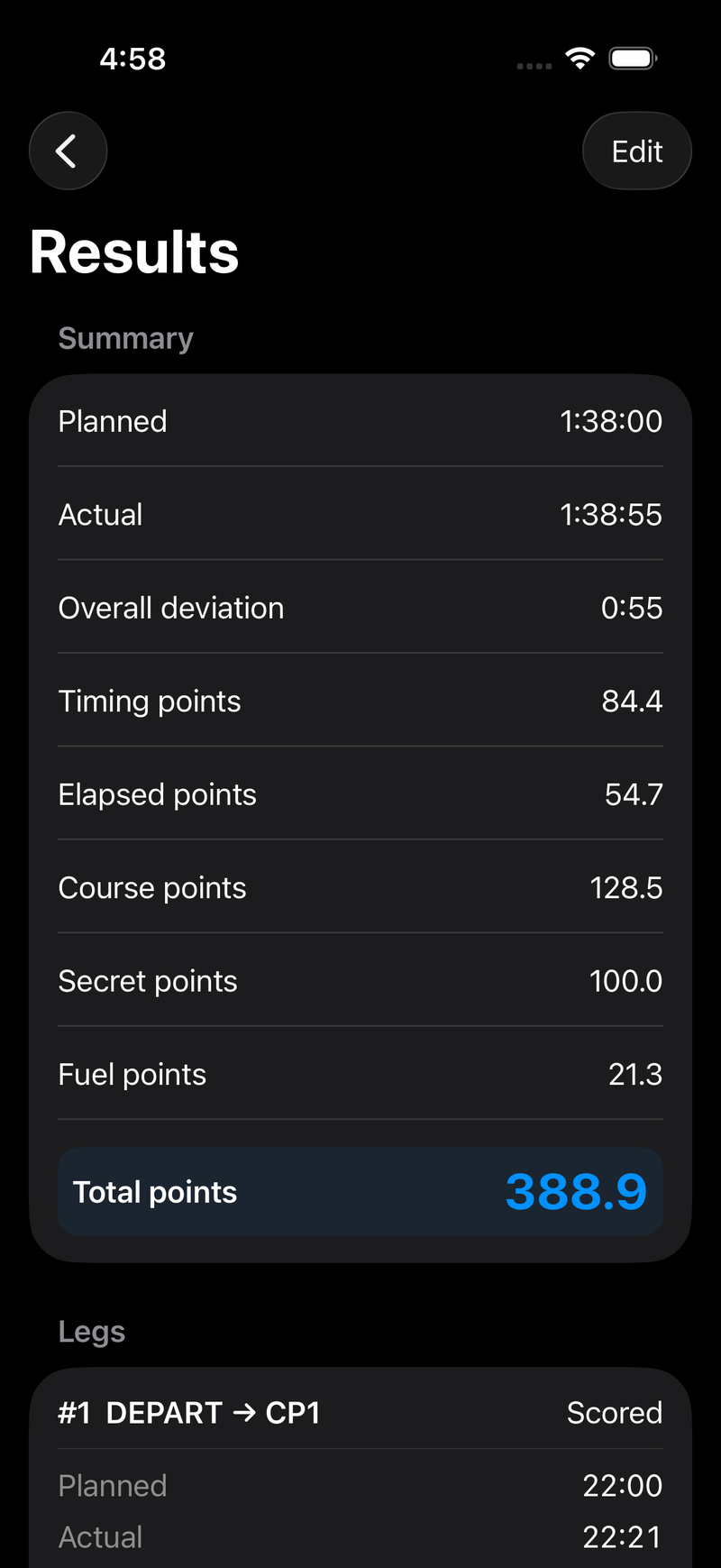
On the ground — the scored result.
What Navigator measures
A flight is scored as penalty points — lower is better. Points come from five independent sources:
- Timing points — how far off your planned time each scored leg was, one point per second.
- Elapsed points — how far off your planned total time the whole flight was.
- Course points — how far from each intermediate checkpoint you actually flew.
- Secret checkpoint points — checkpoints you missed or called incorrectly.
- Fuel points — how badly your fuel estimate missed the fuel you actually burned.
The exact formulas — including the thresholds, the linear course-penalty ramp, and the exponential fuel curve — are written out in the scoring rules.
What you need
- An iPhone or iPad running iOS 26.2 or later.
- A route exported from ForeFlight (or any tool that writes a compatible
.fpl). - For post-flight scoring: a track log, typically the
.kmlForeFlight exports after a flight. - Optionally, a panel GPS or ADS-B receiver that broadcasts GDL90 over Wi-Fi, if you'd rather not rely on the iPad's internal GPS.
Navigator is a timing and scoring aid for flights you are already navigating by other means. The iPad sectional map is situational context, not a certified chart: there is no terrain, airspace or traffic awareness. Fly the airplane, navigate with your normal tools, and use Navigator the way you would use a stopwatch.
Where to go next
- New here? Install the beta, then read Prepare a route.
- Flying today? Jump to Fly a live flight and Reading the instrument panel.
- Scoring someone else's flight? Score a flight afterwards.
- Want to know exactly how a number was produced? Scoring rules.