Score a flight afterwards
The post-flight flow grades a flight from files. Use it when you are scoring somebody else's flight, when the flight was flown without Navigator running, or when you want to add secret checkpoints and fuel to a flight you tracked live.
What you need
- The route as a ForeFlight
.fpl(or.xml). - The track log as a
.kml— what ForeFlight exports from a logged flight. - The planned leg times the pilot filed.
Grading a flight
Tap New Flight at the top right of the Flights screen. The form runs top to bottom, and you work it in that order.
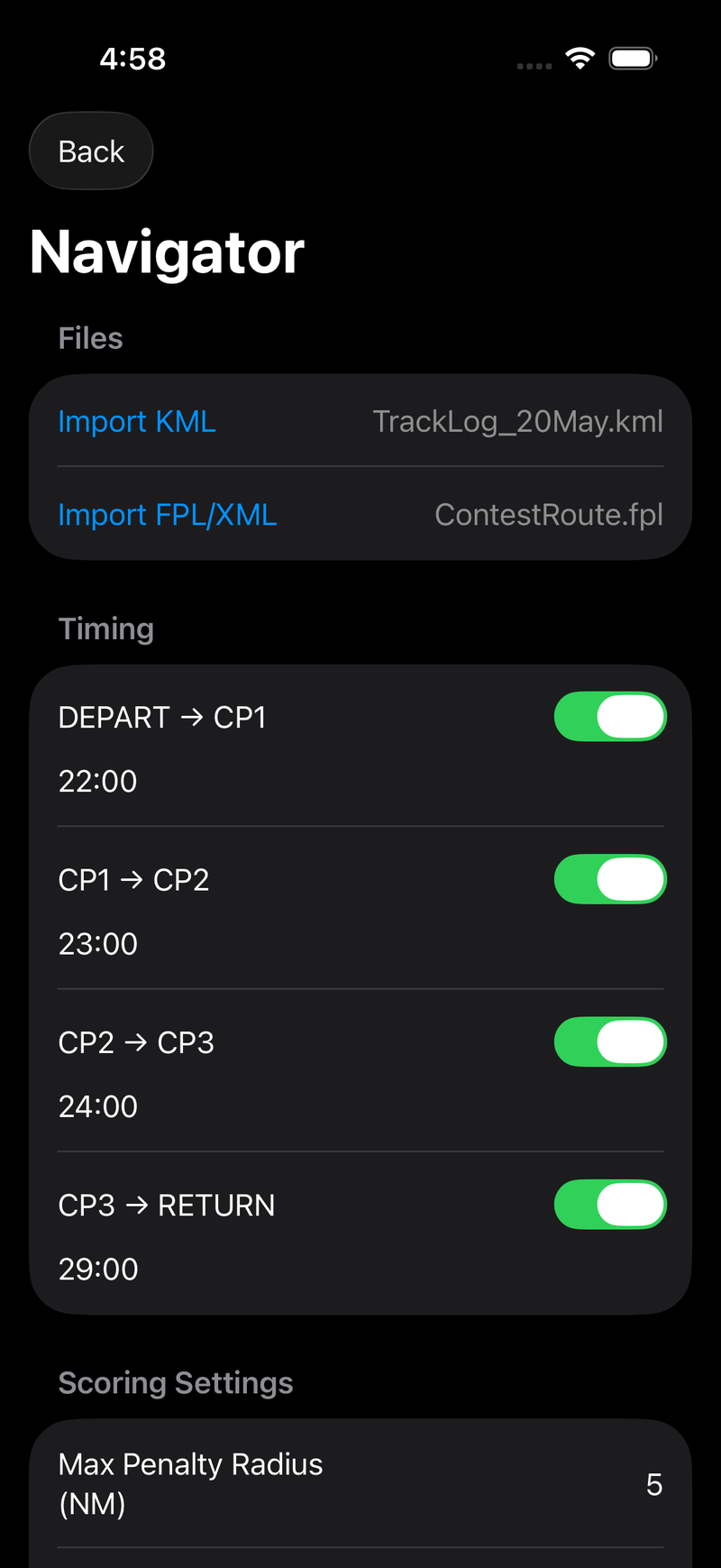
Files and planned leg times.
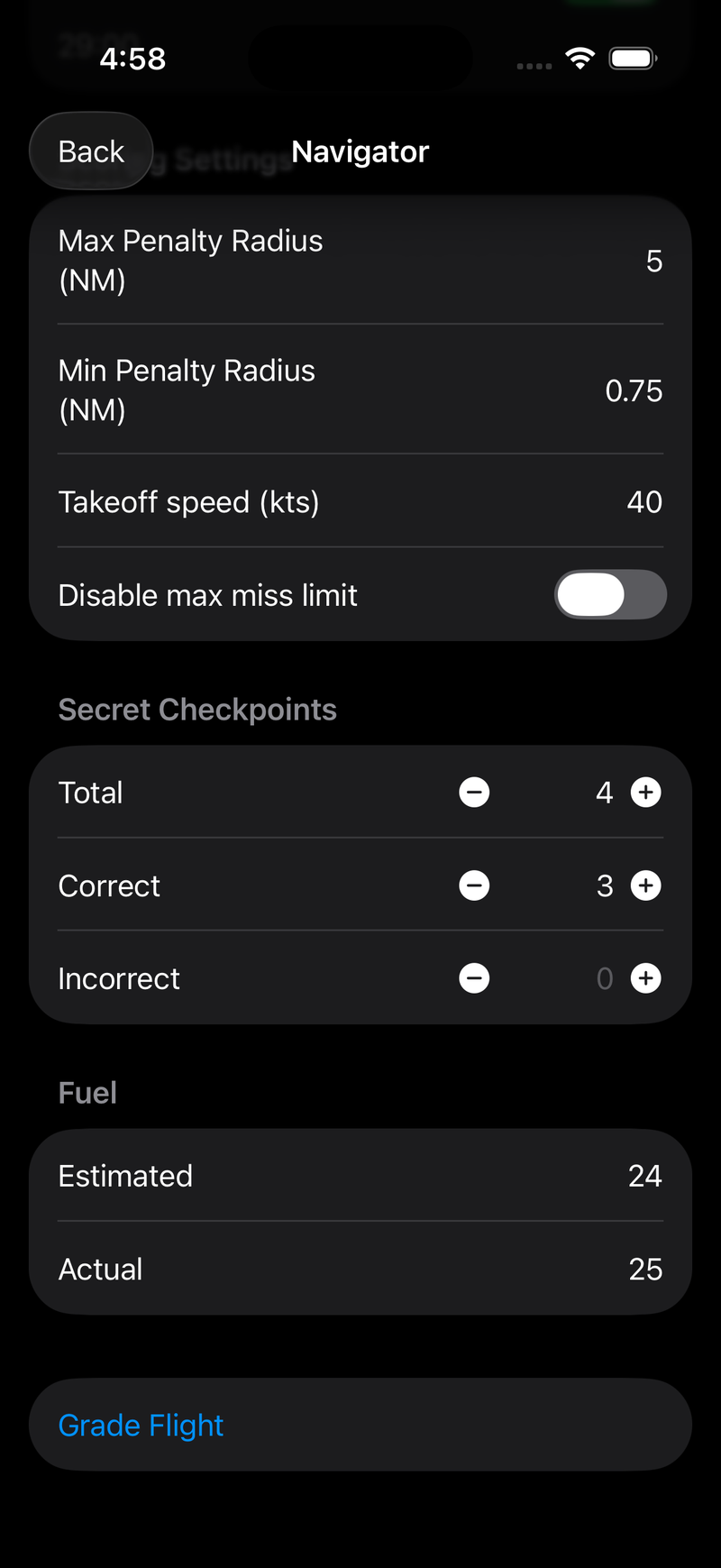
Settings, secret checkpoints, fuel, and Grade Flight.
Files
Import KML and Import FPL/XML, one at a time. Each row shows the imported file's name once it has parsed. Import the FPL first if you like — it is what generates the leg rows below.
The KML must contain a track with timestamps. ForeFlight's exported track logs
(gx:Track with <when> and <gx:coord> pairs) are the expected input, and so is the KML
Navigator saves for a live flight; see file formats for what
else Navigator will accept. A track log with positions but no timestamps is refused at import
rather than scored on invented times.
Timing
One row per leg, FROM → TO, each with a planned time field and a Scored toggle.
Times are entered as seconds (600), MM:SS (10:00), or HH:MM:SS (1:05:30), and are
validated as you type. Switch Scored off for any leg the event does not score.
Scoring Settings
Four controls, all with contest-standard defaults. Leave them alone unless your event's rules differ — and if they do, read the settings reference first, because two of them interact.
| Field | Default |
|---|---|
| Max Penalty Radius (NM) | 5 |
| Min Penalty Radius (NM) | 0.75 |
| Takeoff speed (kts) | 40 |
| Disable max miss limit | Off |
Secret Checkpoints
Total, Correct, and Incorrect, entered with steppers or by typing. Leave Total at zero if the event had no secret checkpoints — the whole category is then skipped.
Fuel
Estimated and Actual, in gallons. Leave both blank to skip fuel scoring entirely. An estimate of zero also skips it.
Grade Flight
Tap it. Grading runs off the main thread, so a large track log will show a spinner rather than freezing the form. Navigator then pushes straight to the results screen, and the flight is saved automatically at that moment — grading is what commits it.
If something is missing you get an alert instead:
| Message | Fix |
|---|---|
| KML is required before grading. | Import a track log |
| FPL is required before grading. | Import a route with at least two waypoints |
| Each scored leg requires a planned time. | Fill in the blank leg, or untick Scored |
| Failed to parse KML / FPL… | See file formats |
Reading the results
The results screen has two sections.
Summary lists planned total, actual total, overall deviation, then the five point categories — timing, elapsed, course, secret, fuel — with Total points highlighted at the bottom. Lower is better. Every one of these numbers is defined in the scoring rules.
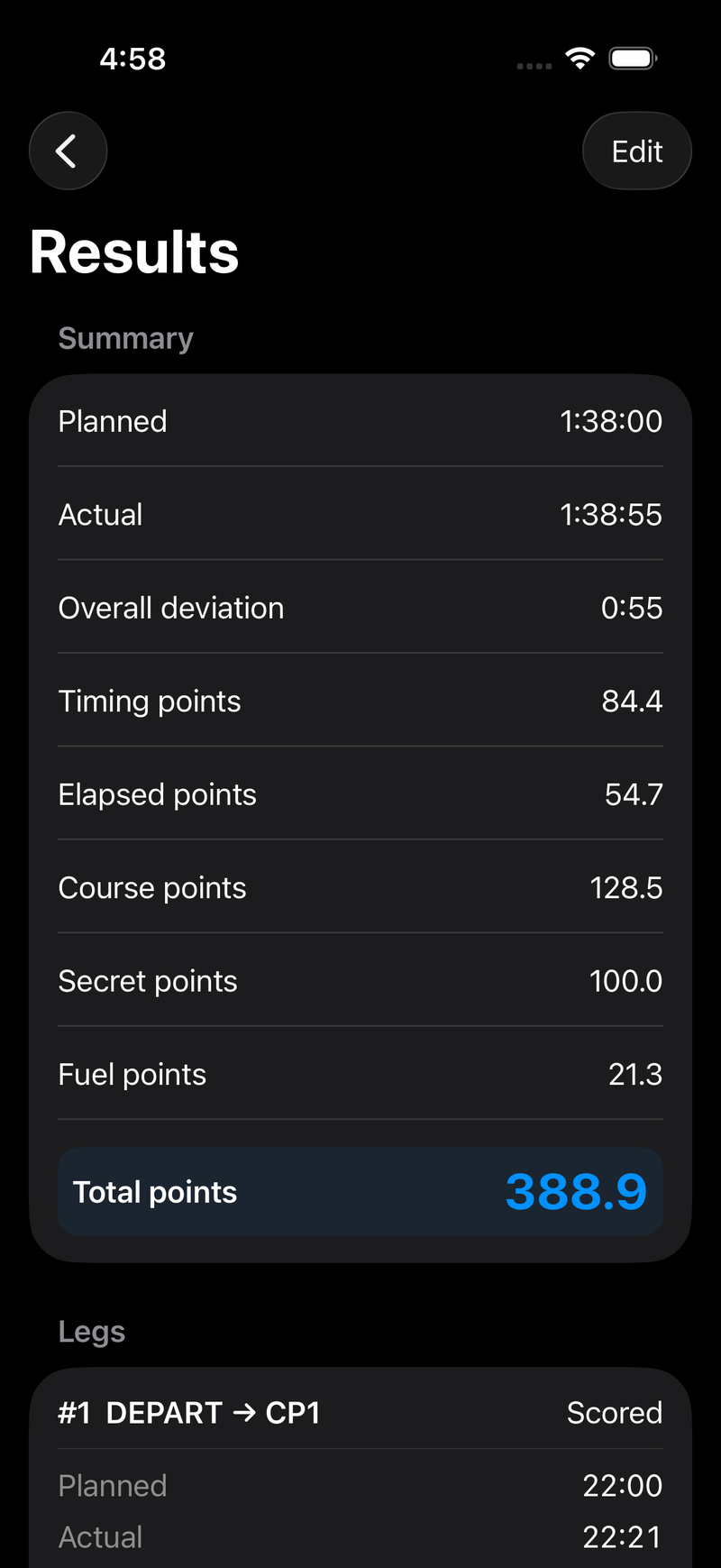
A real scored flight. The categories are independent and simply sum to the total.
Legs gives one card per leg:
| Row | Meaning |
|---|---|
| Planned / Actual | Planned time, and time actually flown between the two waypoint passages |
| Deviation | Actual − planned, signed. Plus is slow. |
| Closest | Closest approach to the leg's destination waypoint, in NM |
| Course Penalty | Points from that closest approach |
| Leg Points | Timing points + course points for this leg |
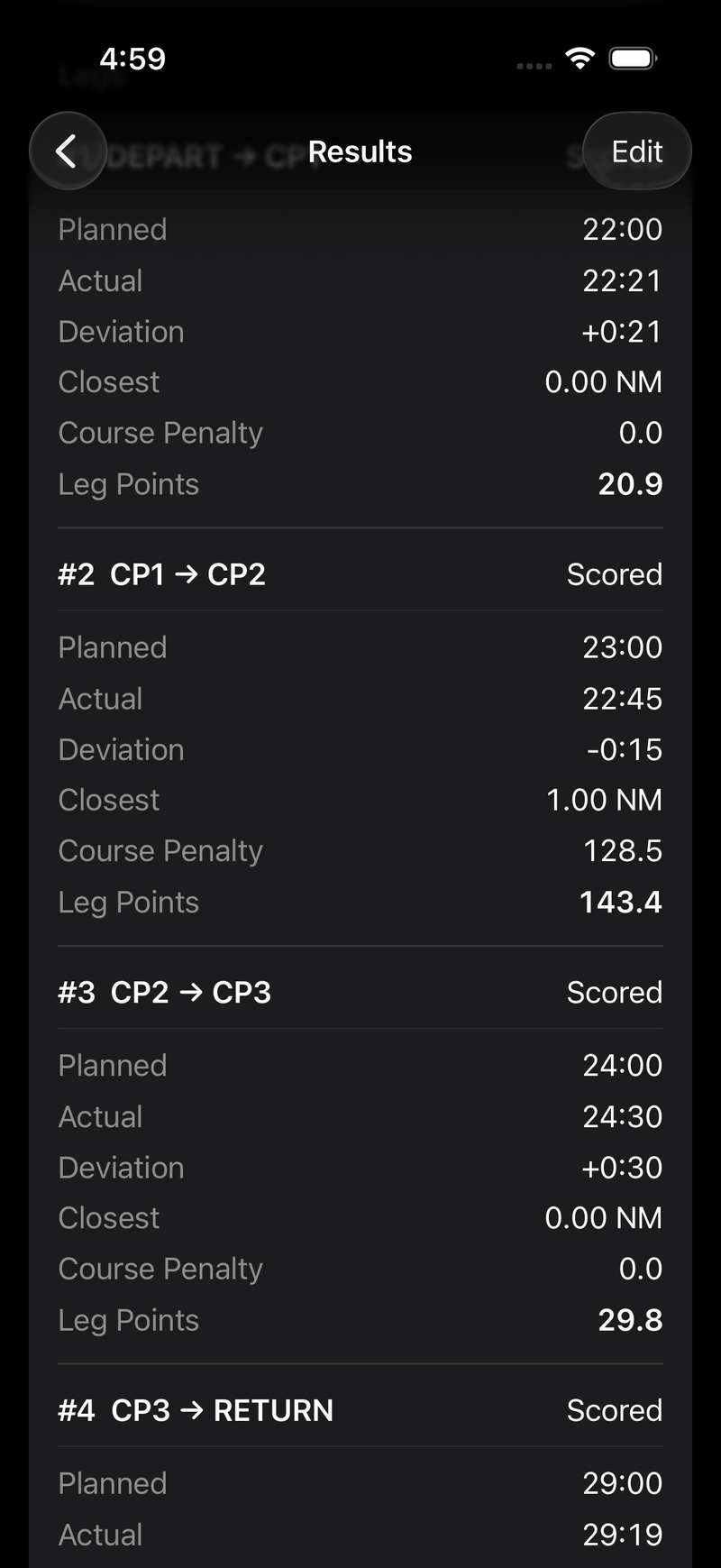
Leg 2 passed 1.00 NM wide of CP2 — outside the 0.76 NM free radius, so it picks up 128.5 course points on top of its 15 seconds of timing error.
The Closest and Course Penalty rows on leg n describe the waypoint at the end of that leg. The first waypoint has no course penalty because you started there, and the last has none because it is the destination — so the final leg's card shows a dash.
Prepare JSON Export writes the score to a file and turns into a Share JSON link. That JSON is the complete scoring record and is what to attach to a question about a result.
Re-grading a saved flight
Open any flight from the Flights list and it shows its results. Tap Edit to reopen the form with everything it was graded with already filled in — files, leg times, settings, secret checkpoints, fuel. Change what you need and tap Grade Flight to overwrite the saved result.
This is also how you add secret checkpoints and fuel to a live flight — a live flight reopens with its own recorded track already loaded, timestamps and all, so its timing and elapsed points come back identical to the live score. The exception is a live flight saved by an earlier build, whose track has no timestamps and will not re-grade.
Backing out with unsaved changes prompts Discard / Save / Cancel. In the New Flight flow, choosing Save without having graded stores the flight as a draft — the files and inputs are kept, the score is zero, and the row is tagged Draft in the list until you come back and grade it.